
TOD by beIN
TOD - Stream Sports & MoviesSports
4.6553.00 Reviews
- Version
- Varies With Device
- Installs
- 5.00M
- Age Rating
- Teen
Screenshots
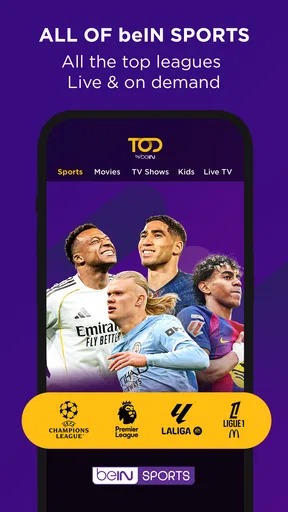
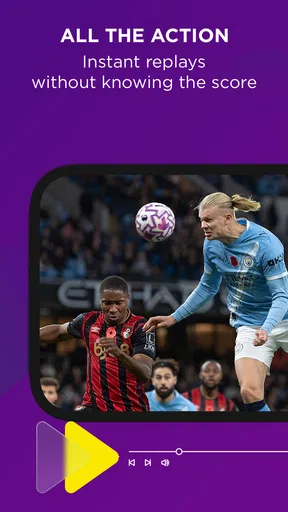
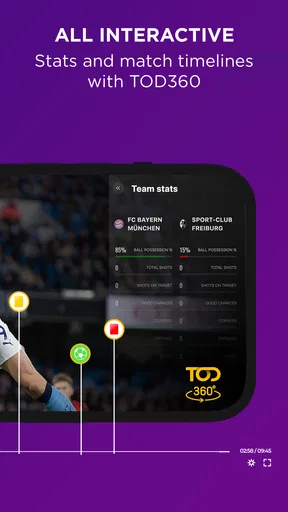
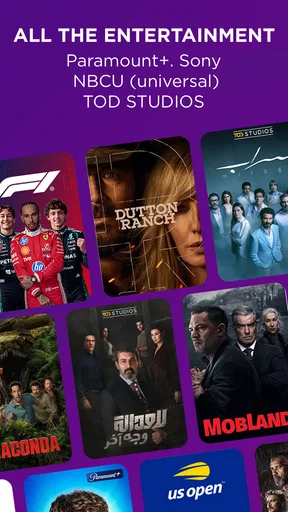
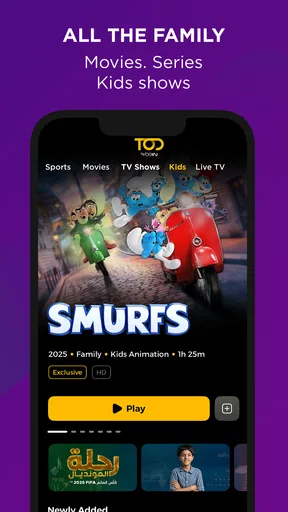
Our Review of TOD by beIN
 Analysis by Appyee
What I notice first with a live-streaming app is not the size of its catalogue but how quickly I can get from opening it to finding the event I care about. TOD – Sports & Entertainment brings sport and general viewing together, which can save time when I want to switch between a match and something to watch afterward. That convenience comes with a practical caveat: a broad entertainment app is only useful if the right content is available to me and the stream behaves well on my connection.
Speed depends on more than the app opening
I judge speed in a few stages: how quickly the home screen becomes useful, how easy it is to locate a live event, and whether playback settles into a watchable rhythm. Those are different things. A responsive menu cannot compensate for a weak connection, while a fast network does not help much if I have to hunt through crowded rows to find a particular fixture. For TOD, I would approach the first session as a short orientation rather than assume every sport or film will be immediately obvious.
A useful habit is to decide what I want to watch before browsing: a live football match, a race, or a movie. That keeps a mixed catalogue from turning into an endless scroll. If I am checking the app close to kickoff, I would open it early enough to locate the event and settle playback before the start. This is a simple way to reduce last-minute stress, not a guarantee that a stream will load at a particular speed.
Busy viewing moments need a little planning
Sports streams put more pressure on my patience than casual viewing. During a close match, even a brief interruption is noticeable, and switching between a live event and another video can make me lose the moment I was following. I would avoid treating TOD as a background app during an important finish: keep the viewing session focused, use a dependable connection, and be cautious about moving between screens when the action is underway.
There is also a difference between watching alone and sharing a screen with other people. At home, a larger display can make a match easier to follow, but I would test the setup before inviting everyone to settle in. On a commute, a phone is convenient, yet crowded surroundings, changing connectivity, and limited battery can all work against a long stream. For short checks or highlights, a phone makes sense; for a full event, I would choose the most stable and comfortable setup I have.
Reliability is part of the match-day experience
A service can feel dependable on one evening and frustrating on another if network conditions change. I would not blame every pause on TOD, nor would I assume a good connection guarantees flawless playback. When a stream stalls, the practical response is to check whether other apps are also struggling, then try a less congested connection if one is available. If the problem is limited to one event, returning to the event page may be more useful than repeatedly restarting the entire app.
Before relying on any streaming service for a match I cannot miss, I would make time for a quick test earlier in the day. That gives me room to sign in, find the right screen, and see whether my device and network cooperate. It is especially sensible when watching away from home. A little preparation is more valuable than assuming an app will recover instantly after every interruption.
Who gets the most from a mixed sports app
TOD is most appealing to someone who follows live sport but also wants films or series in the same viewing destination. Its sports range includes football, Formula 1, rugby, and tennis, so it can suit a household with different viewing interests. If I mainly want one kind of content, though, I would compare it with a service focused on that sport or with the entertainment app I already use. A specialist option may make its particular schedule or catalogue easier to navigate, while TOD’s appeal is having several kinds of viewing under one roof.
It is free to install, but that should not be confused with every programme being free to watch. In-app purchases range from $2.99 to $299.99 per item, so I would check the current offer and payment terms in the app before committing. The company behind it is TOD - Stream Sports & Movies. Its average rating is 3.0 from around 15,000 ratings, with around 491 written reviews and over 5 million installs. Those figures suggest a sizeable audience, but they are not a substitute for checking whether the content and viewing terms suit me.
Device limits and a realistic routine
On a phone, a live match can be handy when I am away from a television, but extended video is demanding in ordinary ways: it uses screen time, a connection, and battery. I would lower the screen brightness to a comfortable level and avoid starting a long session when my phone is already low on charge. If several people want to watch, a phone is not automatically the best choice; a larger screen is easier for a group, provided the setup works well before the event begins.
For example, if I am heading home while a match is on, I can use the app to follow the event rather than wait until I reach the sofa. Once home, I would decide whether to continue on the same device or switch to a more comfortable screen, and I would do that during a natural pause rather than in the middle of a key moment. If the connection becomes unreliable, I would move to a steadier network or save the rest of the session for later rather than repeatedly refreshing in frustration.
The app is rated Teen and is free to download. It was released on January 11, 2022, and the available version can change over time, so I would check the app store for the current release before installing. For families, the age rating is a useful starting point, not a replacement for deciding whether the content is appropriate for each viewer.
Getting Started with TOD
So, first things first—downloading TOD – Sports & Entertainment is a breeze. Whether you're on Android or iOS, just a few taps and you're good to go. Once you open the app, you'll notice a clean, user-friendly interface. It's got that sleek look that just makes you want to explore more.
Features That Keep You Hooked
Now, what really blew my mind were the features. TOD offers a comprehensive mix of live sports, entertainment shows, and even on-demand content. If you're a sports junkie like me, you'll love the live matches with real-time stats. It's like having a mini sports bar in your pocket, minus the overpriced drinks.
And if you're more into entertainment, no worries! The app has a robust catalog of movies and TV shows that you can stream anytime. It's like Netflix and ESPN had a baby, and it's glorious. The content library is continually updated, so there's always something fresh to watch.
Customization and User Experience
One of the standout features of TOD is its customization options. You can tailor the app to your liking, whether it's setting reminders for upcoming matches or curating a watchlist of your favorite shows. Plus, the app's algorithm quickly learns your preferences, suggesting content that actually interests you. It's almost like it knows you better than you know yourself!
Seamless Streaming
No one likes buffering, right? Thankfully, TOD offers seamless streaming. The video quality is top-notch, with options to adjust based on your internet speed. And for those moments when you're on the move, the offline download feature is a lifesaver. Just download your favorite show or match and enjoy it without worrying about Wi-Fi.
Community and Interaction
Another cool aspect of TOD is its community features. You can connect with other fans, discuss live events, and even participate in polls and quizzes. It's a great way to engage with other users and make the whole experience interactive. It’s like being part of a global fan club!
Subscription Plans That Make Sense
Now, let's talk about the cost. TOD offers various subscription plans that are pretty reasonable. The best part? No hidden fees. You can opt for a monthly or yearly plan, depending on your needs. And if you're unsure, there's often a trial period to test the waters.
Overall, TOD – Sports & Entertainment is a must-have for anyone who loves sports and entertainment. With its extensive content library, easy-to-use interface, and interactive features, it truly stands out in a sea of apps. Give it a try and see for yourself—chances are, you’ll be hooked just like I am.
Verdict
Strengths of TOD by beIN
- Wide range of sports streaming options.
- User-friendly interface for easy navigation.
- High-quality video and audio streaming.
- Personalized sports alerts and updates.
- Compatible with multiple devices.
Limitations of TOD by beIN
- Limited availability in certain regions.
- Requires stable internet for best performance.
- Frequent ads can be distracting.
- Subscription needed for premium features.
- Some sports events may have streaming delays.
Similar Picks in This Category
View All
BeSoccer: Soccer Live Score
BeSoccer apps4.3

Cricbuzz - Live Cricket Scores
Cricbuzz.com3.7

NFL
NFL Enterprises LLC2.4

Da Fit
MO YOUNG LIMITED3.6

ESPN
Disney4.5

LiveScore: Live Sports Scores
LiveScore Limited4.5
Frequently Asked Questions
What is TOD – Sports & Entertainment?
TOD – Sports & Entertainment is a comprehensive app that offers users access to a wide array of live sports events, entertainment shows, and exclusive content. It is designed to provide high-quality streaming and an engaging user experience, catering to both sports enthusiasts and fans of general entertainment.
Is TOD available on both Android and iOS?
Yes, TOD – Sports & Entertainment is available for download on both Android and iOS platforms. Users can find it on the Google Play Store for Android devices and the Apple App Store for iOS devices, ensuring accessibility to a broad audience with different device preferences.
What kind of sports and entertainment content does TOD offer?
TOD offers a diverse selection of live sports, including football, basketball, tennis, and more. In addition to sports, the app provides access to entertainment content such as movies, TV shows, and exclusive series. This variety makes it a versatile option for users interested in both sports and general entertainment.
Does TOD – Sports & Entertainment require a subscription?
Yes, TOD operates on a subscription model. Users need to subscribe to access its full range of features and content. The app may offer different subscription tiers, providing options for users based on their preferences and budget. It's advisable to check for any ongoing promotions or trials for new users.
Can I stream content offline on TOD?
Currently, TOD – Sports & Entertainment does not support offline streaming. Users need to have an internet connection to stream content. However, the app is optimized for various network conditions, ensuring smooth playback and minimal buffering during live events and shows.
